

Indicators show when a teammate is viewing a thread or typing a reply. This helps team members coordinate responses, avoid duplicate replies, and ensure new leads are handled without requiring extra internal communication.
What indicators show
Viewing: A teammate currently has the thread open.
Typing: A teammate is actively composing a reply in the thread.
Indicators are strictly internal and visible only to your team. Customers do not see typing or viewing cues, and indicators do not track customer activity.
View indicators in the Inbox preview pane
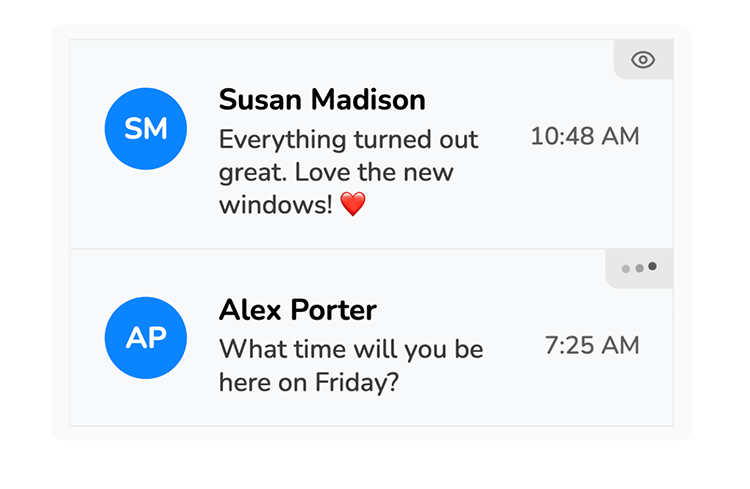
Scan your conversation list to check activity before opening a thread. An icon appears in the upper-right corner of the thread preview:
Eye icon: Indicates one or more teammates are viewing the thread.
Three moving dots: Indicates a teammate is typing a reply.
View indicators inside a conversation
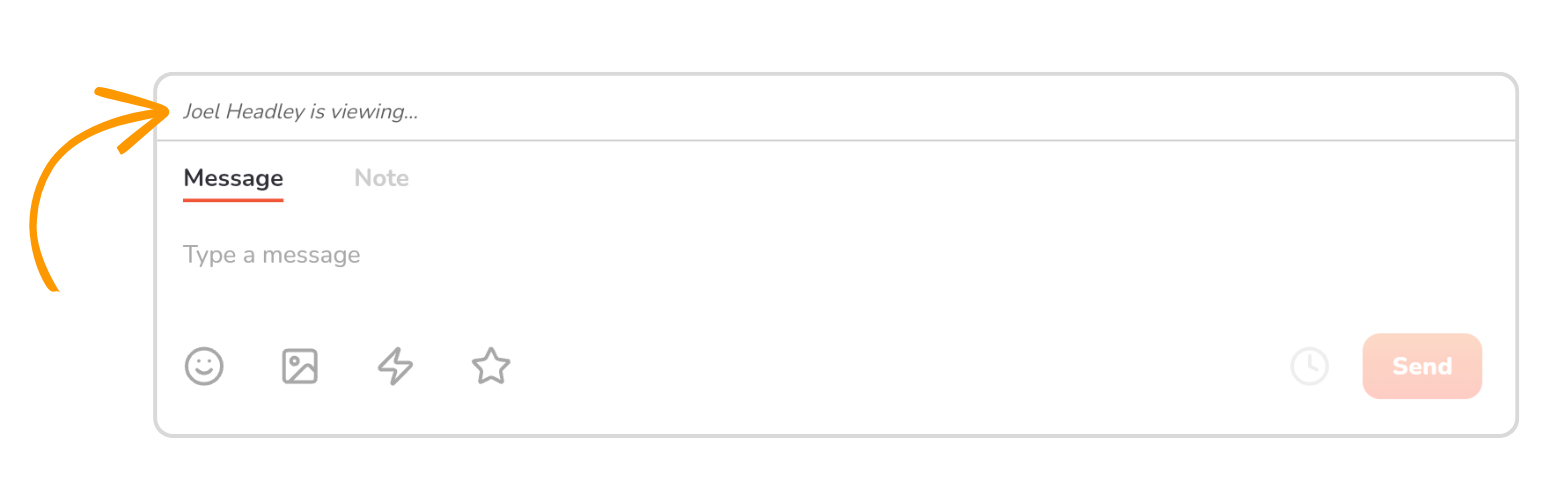
Open a thread to see specific names and status updates above the message composer:
Typing status: Displays "[Name] is typing..." when a teammate is writing a response.
Viewing status: Displays "[Name] is viewing..." when a teammate has the thread open.
Multiple viewers: Displays "[Name] +[count] viewing..." (e.g., "Mike Johnson +3 viewing...") when multiple teammates are in the same thread.
Indicators update automatically in real time as teammates open, type in, or leave a thread.